PLATFORMS
Three closed platforms
One shared desktop, perception and review foundation
CREATOR PARTNERSHIPS · AI WORKFLOW AUTOMATION · COMPUTER VISION
We built a Windows application that observes rendered mobile screens, reconstructs creator profiles, evaluates campaign fit, prepares personalised outreach and carries out approved actions with visual verification.
PLATFORMS
Three closed platforms
One shared desktop, perception and review foundation
INTERFACE
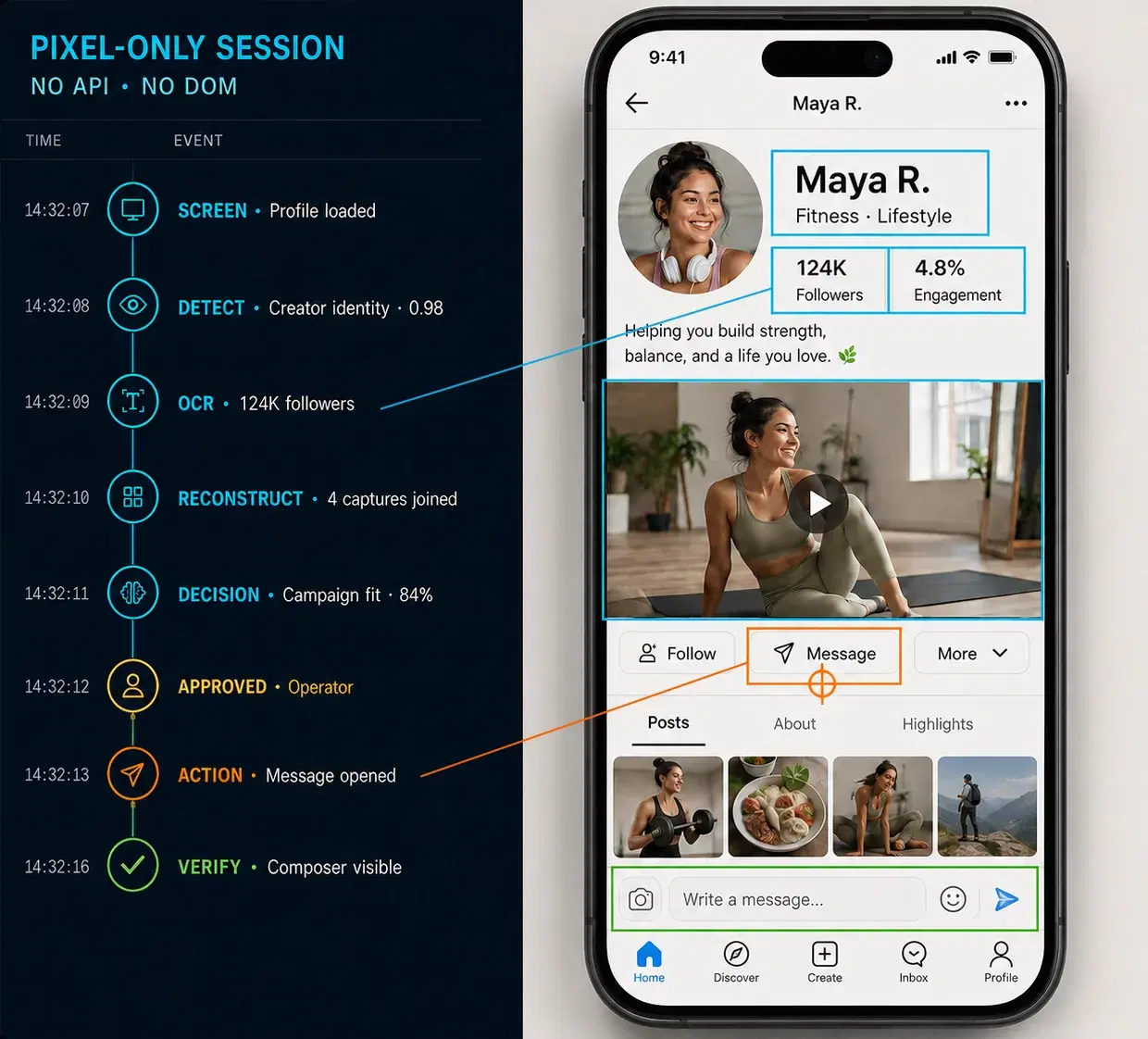
No API or DOM
Visual models, OCR, geometry and screen-state logic
CONTROL
Human-approved
Verification and no blind retry when ambiguous
PROJECT SNAPSHOT
01
Creator research and outreach took place inside mobile-first platforms with no suitable API, no machine-readable interface and variable latency through a remote-device window.
02
A packaged Windows application that captures profiles, reconstructs long screens, extracts structured context, evaluates campaign fit, drafts messages and supports controlled outreach and follow-up.
03
We owned perception models, annotation tooling, the desktop application, orchestration and Windows packaging.
What shipped
They take ownership of the outcome, not just the task list. You feel they are accountable for getting the result across the line.
Stefan
Creator partnerships
Eyezilla operator feedback
CLOSED-INTERFACE ARCHITECTURE
Deterministic state and human approval surround probabilistic perception before any consequential external action.
01 · System layer
Rendered mobile interface
02 · System layer
Perception, OCR and state reconstruction
03 · System layer
Structured creator record
04 · System layer
Fit evaluation and draft
05 · System layer
Human approval
06 · System layer
Visually verified action
SELECTED SYSTEM EVIDENCE
01
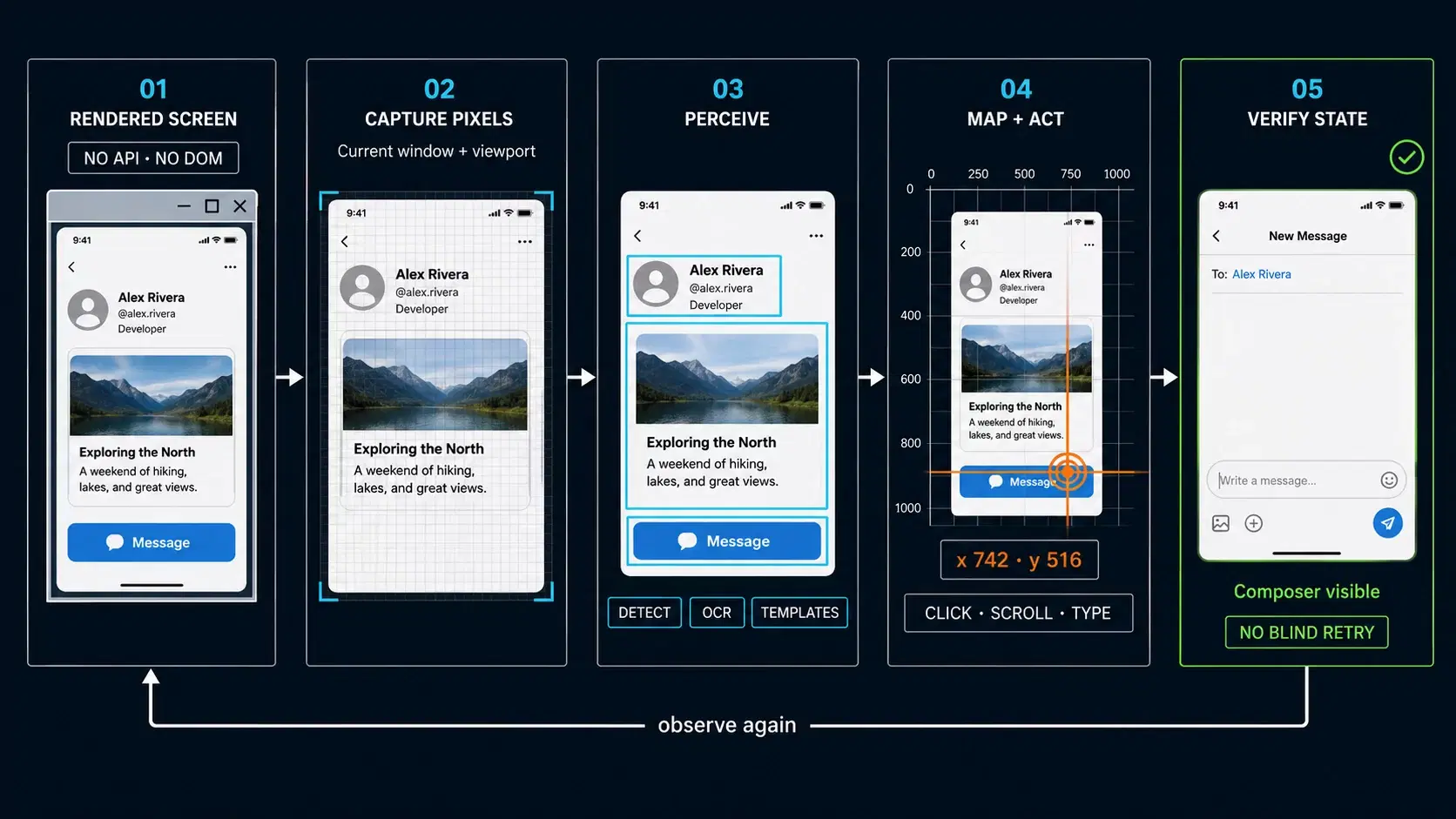
Platform-specific object-detection models, OCR, template matching, geometry and screen-state logic identify the visible controls and content. Every observation is mapped back into current desktop coordinates rather than relying on one set of recorded click positions.
Why it mattered
The workflow could operate through the interface actually available to the client.
02
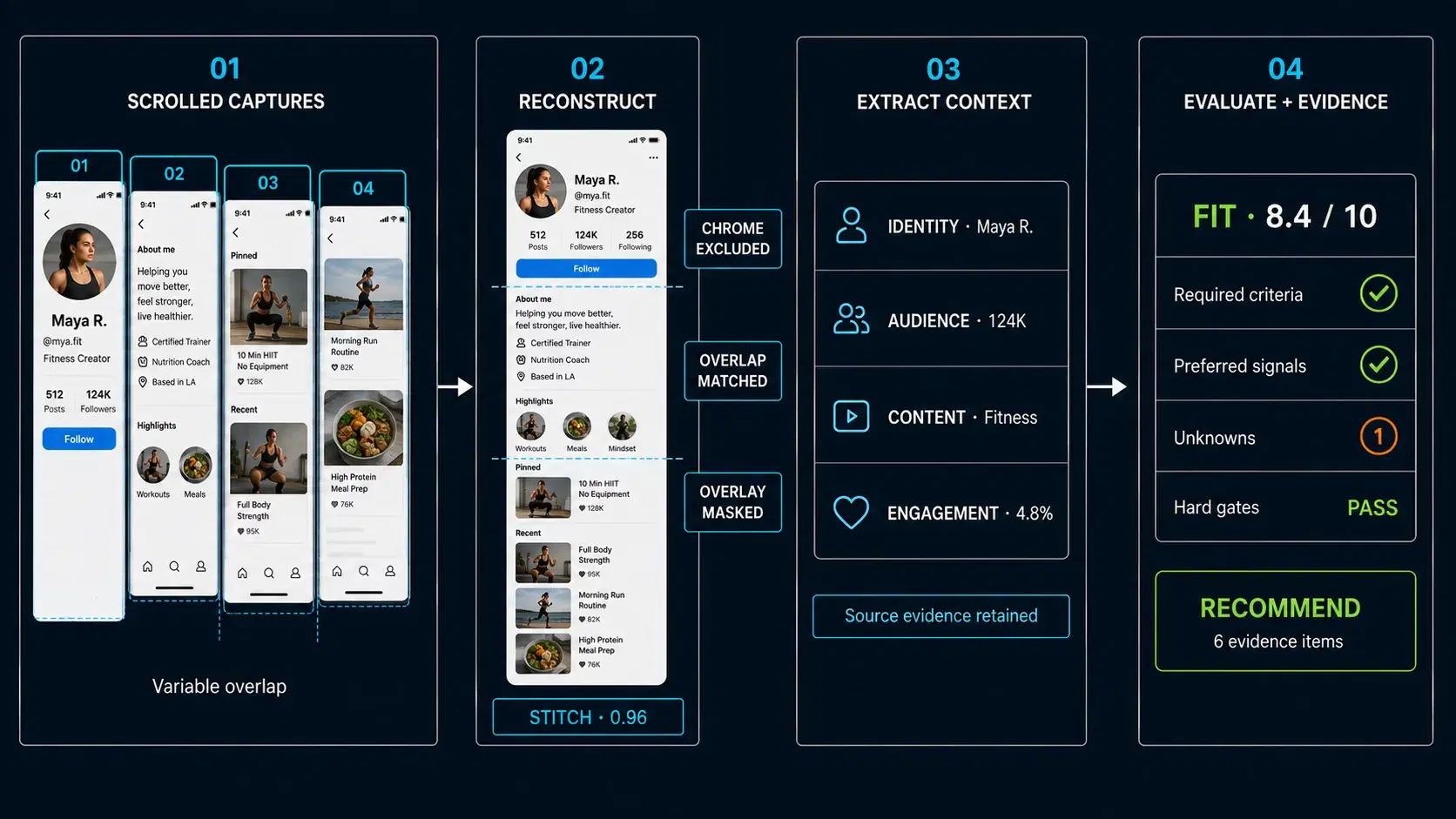
The application joins several scrolled captures while accounting for fixed interface chrome, floating elements, animated media, inconsistent movement and missing overlap. Structured language-model tasks then extract campaign-relevant facts and evaluate the profile against configurable criteria.
Why it mattered
Recommendations were based on the creator’s complete context and retained supporting evidence.
ENGINEERING DECISIONS
Small visual controls, text, landmarks and geometry do not all require the same tool. The application combines object detection, OCR, templates, image comparison and deterministic platform rules behind one observation layer. This reduces dependence on any single imperfect signal.
Visual automation
Remote sessions respond differently to taps, scrolls, navigation and typing. The application calibrates action-specific timing and waits for the screen to change and settle instead of applying one large fixed delay. Long waits remain cancellable.
Reliability
Names, ages, preview content, transcript overlap, perceptual signatures and optional visual identity evidence are evaluated in sequence. Weak OCR is not enough to attach private history to the first plausible record. Ambiguous cases enter a recovery flow.
Data integrity
RESPONSIBILITY
Packaged Windows workspace · acceptance against real operating constraints
SERVICES USED
SELECTED TECHNOLOGY
RELEVANT EXPERIENCE
You need to automate a workflow inside software that exposes no suitable API.
You need AI to interpret complex records while deterministic code controls policy and action.
You need human review, identity safeguards and verifiable execution around consequential automation.
RELATED WORK
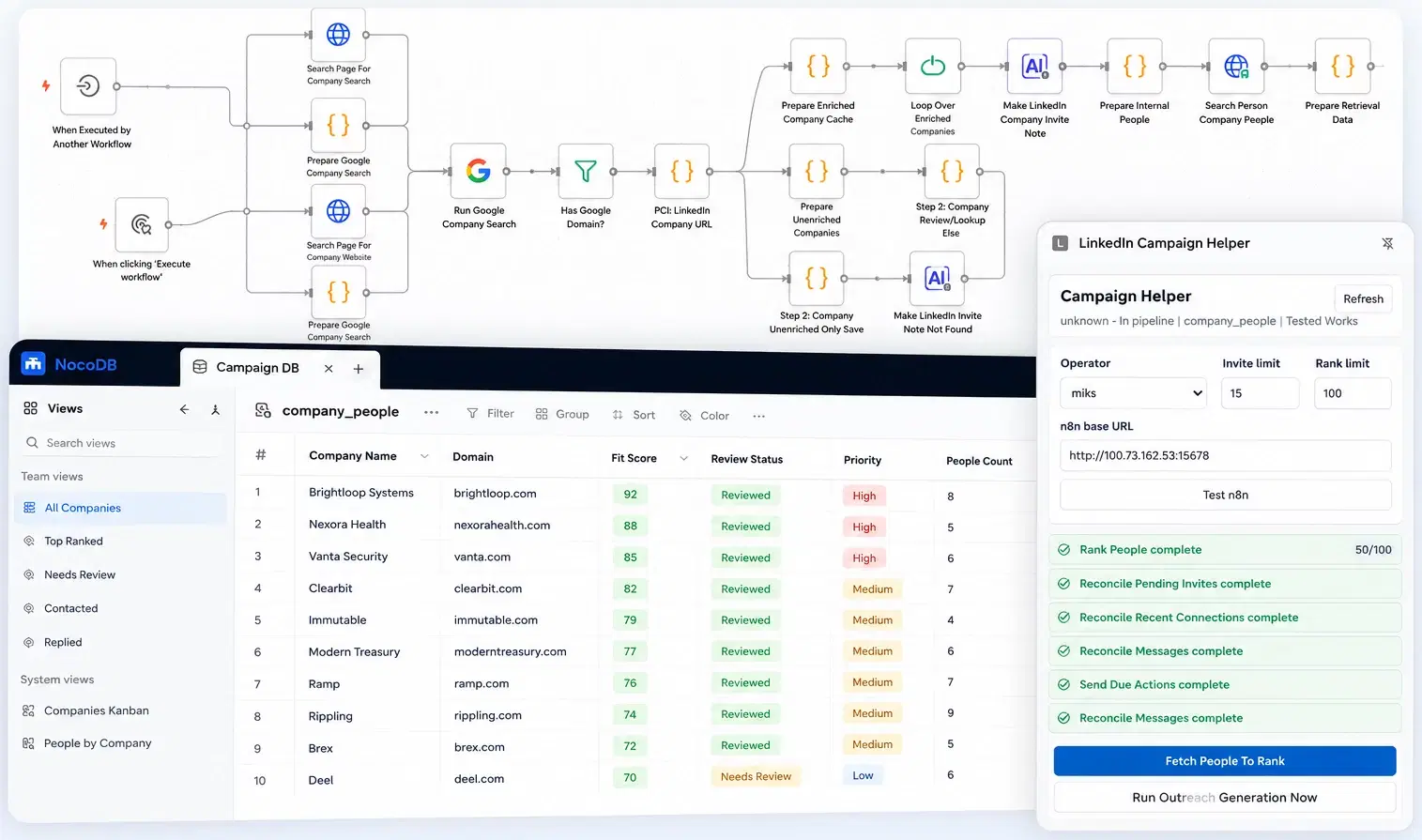
TESTED WORKS INTERNAL SYSTEM
Sixteen coordinated workflows with a shared database and operator-controlled LinkedIn actions.
View case study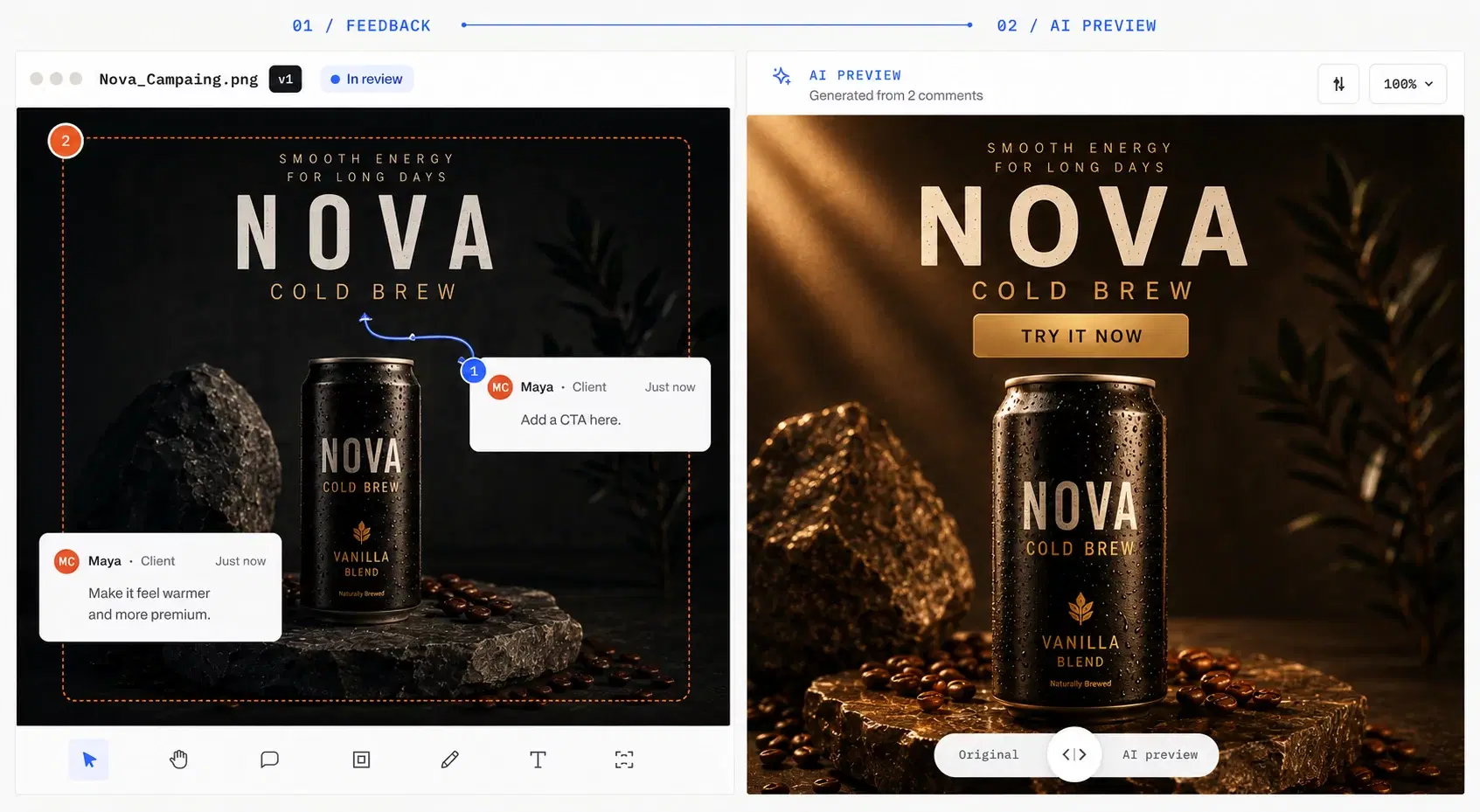
ZAPFOLDER
Live B2B SaaS with sharing, versioning, approvals, billing and production AI operations.
View case studySTART A CONVERSATION
We can assess whether visual automation, integration or a hybrid approach can make the process reliable enough to operate.