
CLIENT FEEDBACK
5.0 on Upwork
Verified client reviews.
INTEGRATIONS & INTERNAL TOOLS
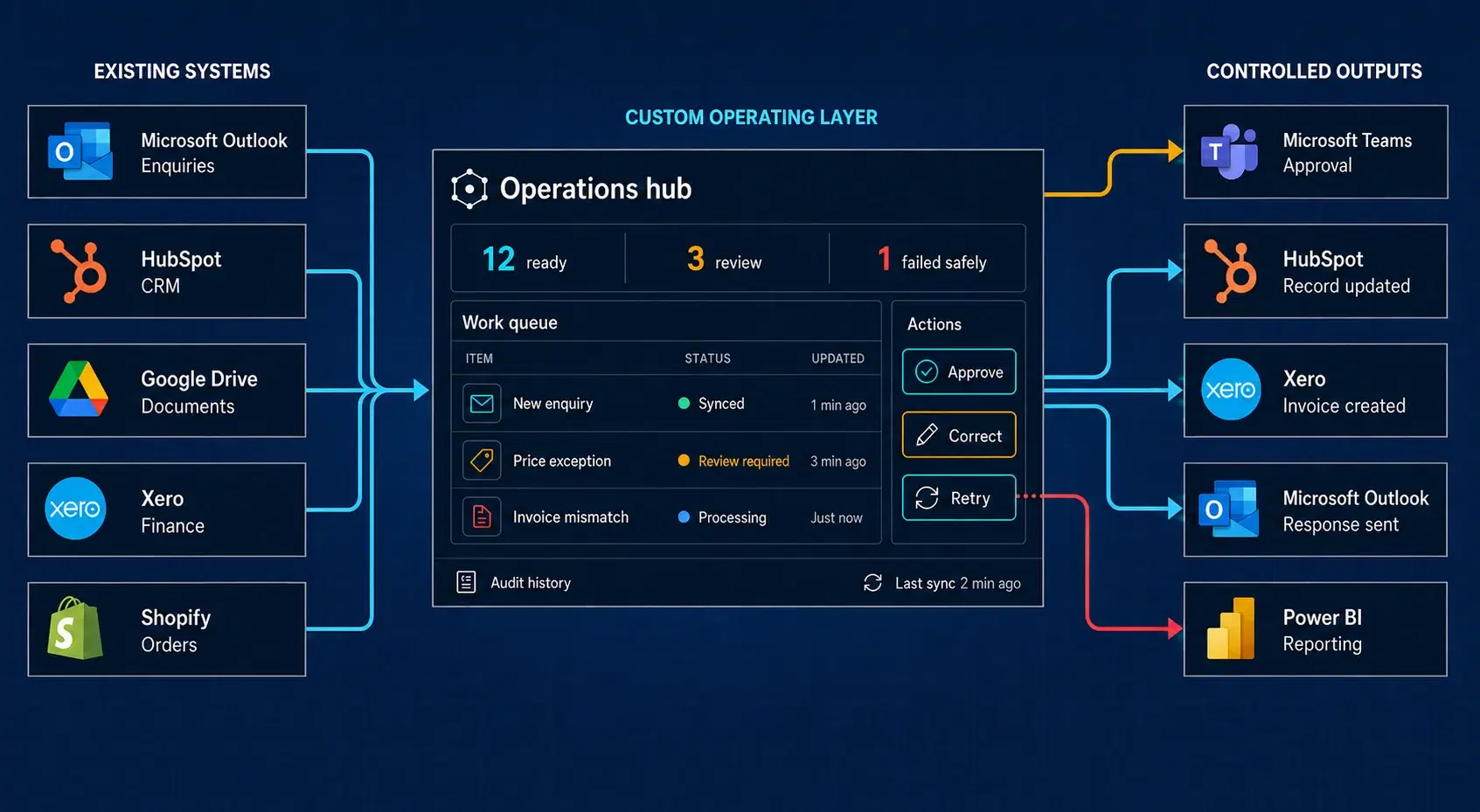
We connect CRM, ERP, email, documents and specialist platforms, then build the internal interfaces teams need to manage work, handle exceptions and see what is happening.
System integration · Internal tools · Reporting · Recovery
CLIENT FEEDBACK
5.0 on Upwork
Verified client reviews.
CLOUD PROGRAMME
AWS Activate
Programme member.
DELIVERY MODEL
Founder-led delivery
Direct access from scope through production.
PRODUCTION OWNERSHIP
Build and operate
Support and improvement beyond launch.
THE HIDDEN HAND-OFF
A CRM can hold the opportunity. An ERP can hold products and prices. Email can carry the documents. But employees are often left to connect the process—copying information, checking inconsistencies and chasing the next decision.
Before / disconnected hand-offs
Commercial
CRM
Rekey customer details
Operations
Work queue
Chase current status
Finance
ERP
Reconcile price
Customer
Email + files
Confirm approval
After / operating layer
One connected workflow
Information moves between systems according to defined ownership and update rules.
Employees can see what is processing, waiting, complete or blocked.
Failures become visible and authorised staff have a route to correct them.
THE LIGHTEST RESPONSIBLE SOLUTION
We choose the simplest route that can support the workflow’s volume, complexity and risk. The objective is dependable operation—not the greatest possible amount of code.
When it fits
The existing products already support the required fields, actions and failure handling.
Our role
Configuration, validation and operational setup.
When it fits
The workflow is mostly deterministic, moderate in volume and well supported by n8n, Make or Zapier.
Our role
Workflow design, implementation, controls and monitoring.
When it fits
Employees need a focused interface over existing APIs and data without a complete custom application.
Our role
Data connections, interface, permissions and operating controls.
When it fits
Business rules, volume, security, reliability or user experience exceed the sensible limits of standard tools.
Our role
Architecture, software development, deployment and continued operation.
A single workflow can combine these routes—for example, native CRM features, an n8n automation and one focused internal review interface.
THE MISSING OPERATING LAYER
INTEGRATION LAYER
We design the connections, ownership rules and processing needed to keep related systems in a consistent state.
Information moves without employees repeatedly re-entering it.
INTERNAL OPERATING TOOLS
We build focused internal screens for tasks that do not belong cleanly inside the existing platforms.
Employees can see and operate the workflow without spreadsheets or direct database access.
Source-of-truth ownership · Permissions · Audit history · Monitoring · Documentation
BUILT FOR REAL OPERATIONS
External platforms become unavailable, webhooks arrive twice and information sometimes conflicts. A dependable integration makes those conditions visible and recoverable instead of assuming every connection will succeed.
The expected information is consistent across the relevant systems.
Work is still running or waiting for an external service.
An ambiguous match, conflict or business exception needs a person.
The action stopped without corrupting source records and can be retried or corrected.
Each important record has a named owner, and update direction follows that decision.
Repeated messages or retries do not create duplicate customers, orders or transactions.
Teams can see what completed, what remains in progress and what needs attention.
Authorised staff can inspect, retry or correct work without engineering access.
WAYS TO START
Identify systems, data ownership, hand-offs and failure points.
SYSTEM MAP · PRIORITIES · RECOMMENDED ROUTE
Build one focused integration or internal operating interface.
WORKING CONNECTION · TESTS · MONITORING
Diagnose and correct an integration, automation or internal tool already causing operational problems.
FAILURE ANALYSIS · CORRECTION · RECOVERY CONTROLS
Monitor, support and improve the connected system as its dependencies change.
SUPPORT · INCIDENT RESPONSE · CONTROLLED CHANGES
SELECTED INTEGRATION EXAMPLE
Eyezilla is included as supporting evidence for the integration approach above. The relevant point here is not the computer-vision model; it is how device events, venue data, external context and reporting are coordinated and kept operable.
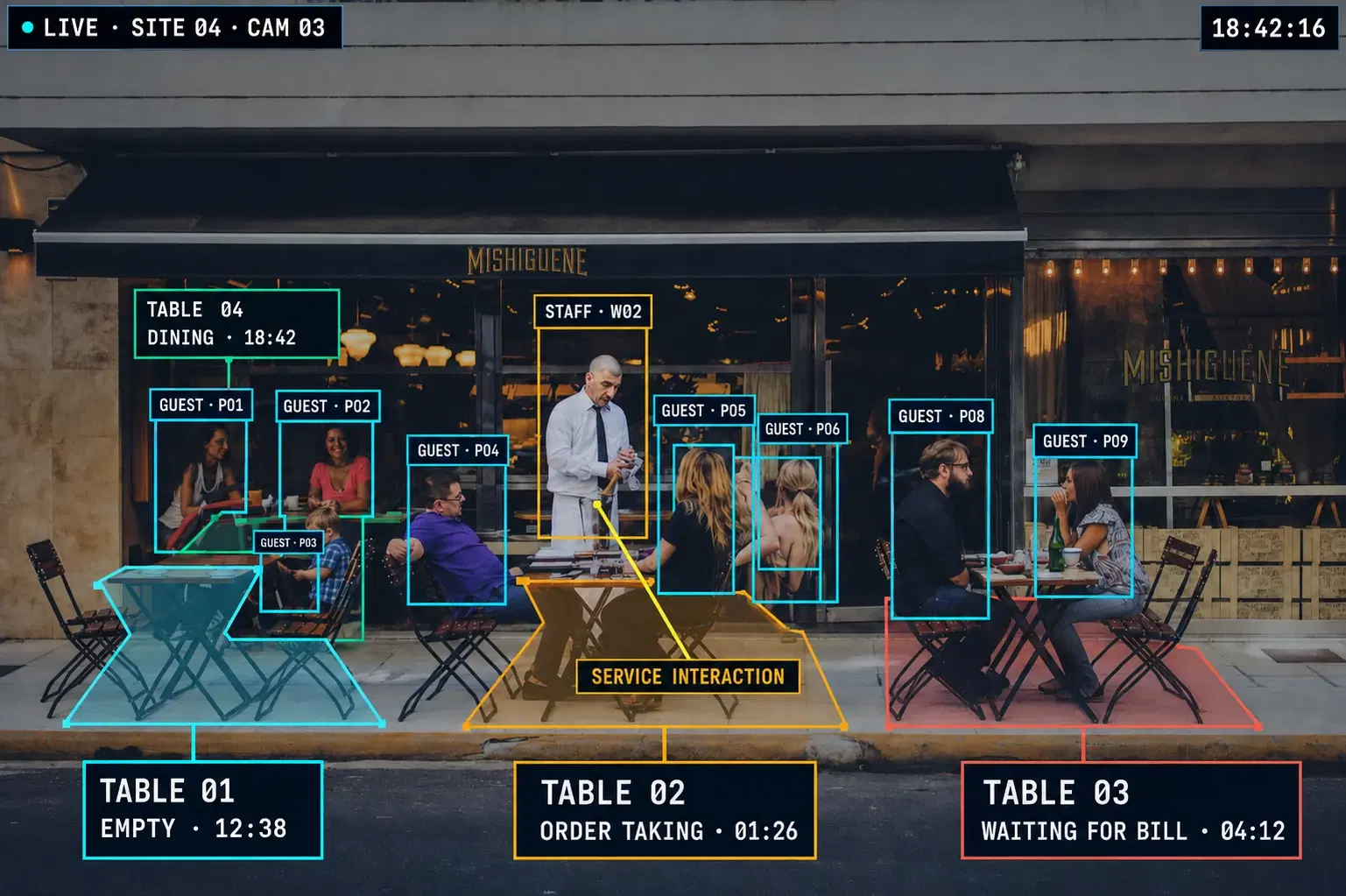
Supporting case study · Production platform
Eyezilla brings computer-vision events, venue information, external context and multi-site reporting into one production platform for hospitality operations.
Individual devices, network connections and processing steps can be delayed or unavailable. We designed the pipelines, operating interfaces, monitoring and recovery routes as one connected system.
ADDITIONAL WORK
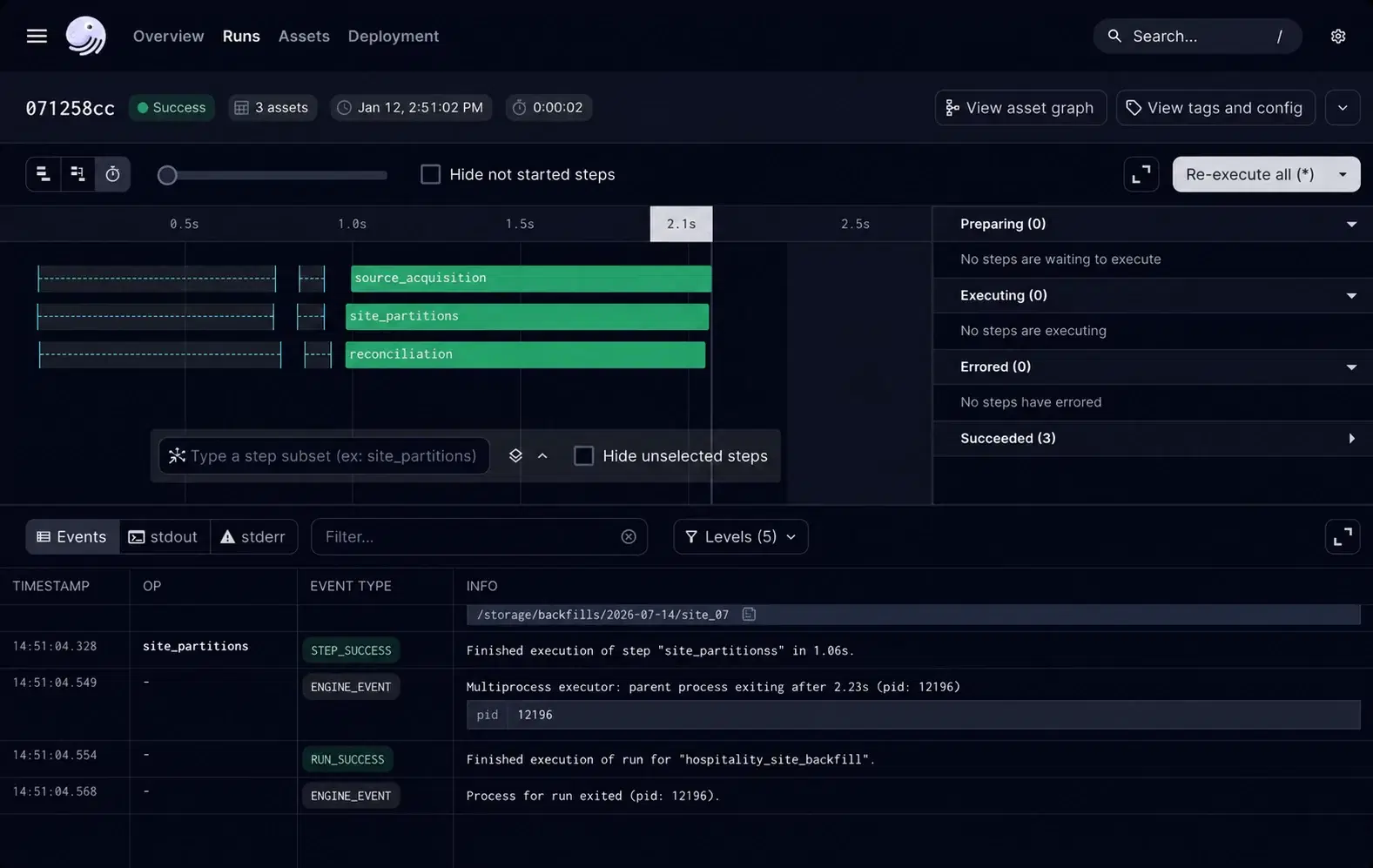
CONFIDENTIAL HOSPITALITY OPERATOR
APIs, databases, managed files and browser-only reports coordinated in one Dagster estate.
View case study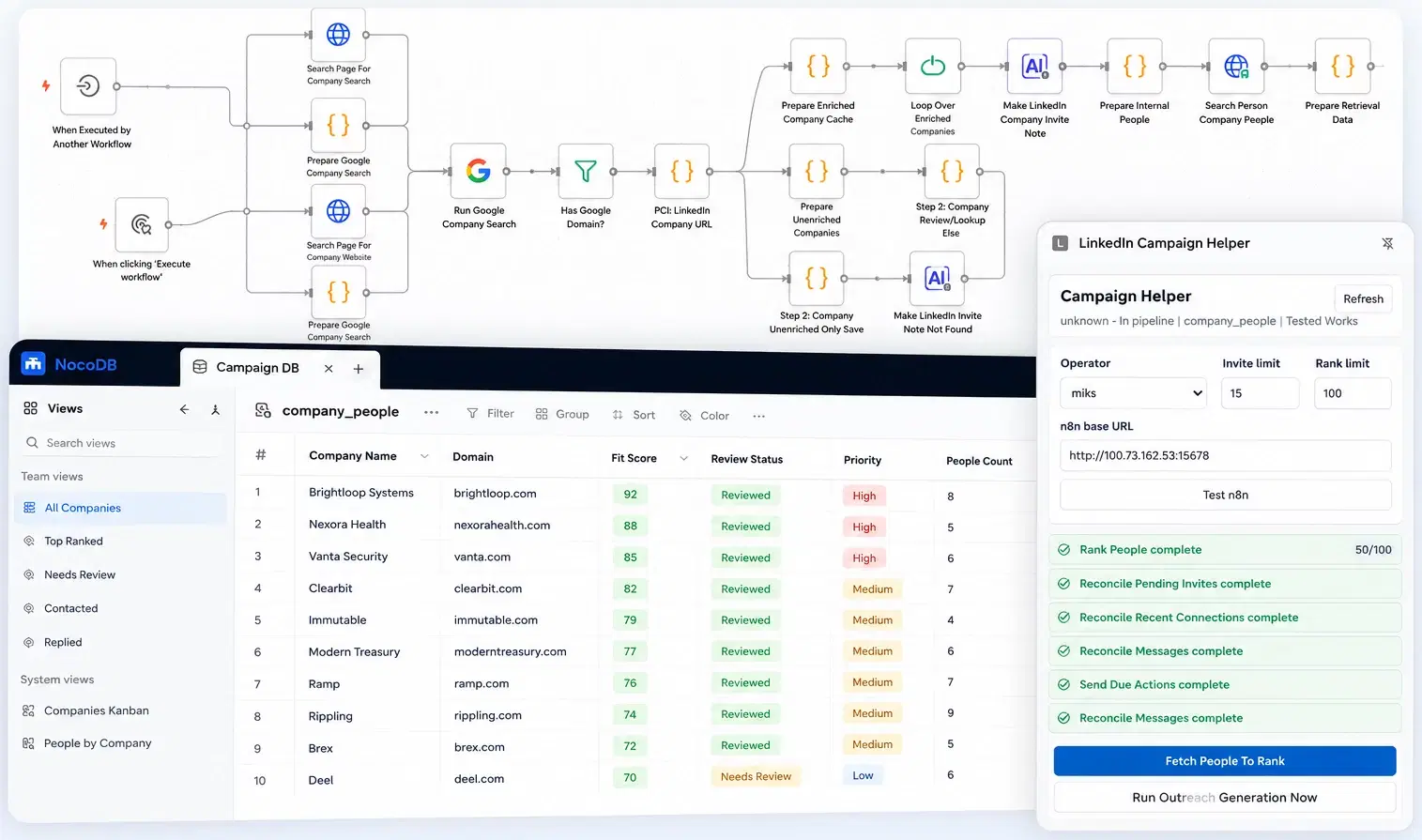
TESTED WORKS INTERNAL SYSTEM
Sixteen coordinated workflows with a shared database and operator-controlled LinkedIn actions.
View case studyHAVE SOMETHING SIMILAR IN MIND?
FAQ
Usually not. This service is designed to make existing systems participate in one coherent workflow while they remain the systems of record. Replacement is recommended only when the platform itself is the material operational constraint.
Often, yes. The safe route depends on available APIs, database access, message interfaces, exports and operational constraints. A focused mapping phase can establish what can be connected directly, what needs an adapter and what should remain manual.
Yes. We can stabilise and improve the existing automation when the platform remains appropriate, including workflows using Retool, Power Apps or similar low-code tools. Where volume, risk or complexity has exceeded the platform, we can replace only the constrained part.
We use explicit ownership, idempotent operations, processing states, safe retries, queues and reconciliation appropriate to the systems involved. Failed or ambiguous records can be exposed through an operator interface so authorised staff can inspect, correct and retry them.
We can remain responsible for monitoring, incident response, dependency changes and controlled improvement, or prepare the system for an internal or third-party team. The required support route is agreed before production release.
PROJECT INTAKE / INTEGRATIONS
Tell us which platforms are involved, what employees still do manually and where information becomes inconsistent or difficult to recover. We will help identify the lightest responsible way to connect and operate the workflow.